Studio Tokano
Folk Bear Laser Cut SVG | 8-Layer Wooden Wall Art
Folk Bear Laser Cut SVG | 8-Layer Wooden Wall Art
Couldn't load pickup availability
Download Formats
Download Formats
- SVG
- PNG
- DXF
- AI
- EPS
Recommended Cutting Size
Recommended Cutting Size
- Recommended minimum cutting size in plywood: 400 × 400 mm (approximately 15.75 × 15.75 inches)
- Scaling up is fine, but beware of the little details when scaling down
Material Suggestion
Material Suggestion
- Plywood
- MDF
- Acrylic
Compatible Software
Compatible Software
- LightBurn
- xTool Studio
- xTool Creative Space
- GlowForge app
- Inkscape
- Adobe Illustrator
- etc...
Compatible Machines
Compatible Machines
- Glowforge
- xTool
- Trotec
- Thunder Bolt
- OMTech
- LaserPecker
- WeCreat
- all lasers
DIGITAL DOWNLOAD — no physical item will be shipped.
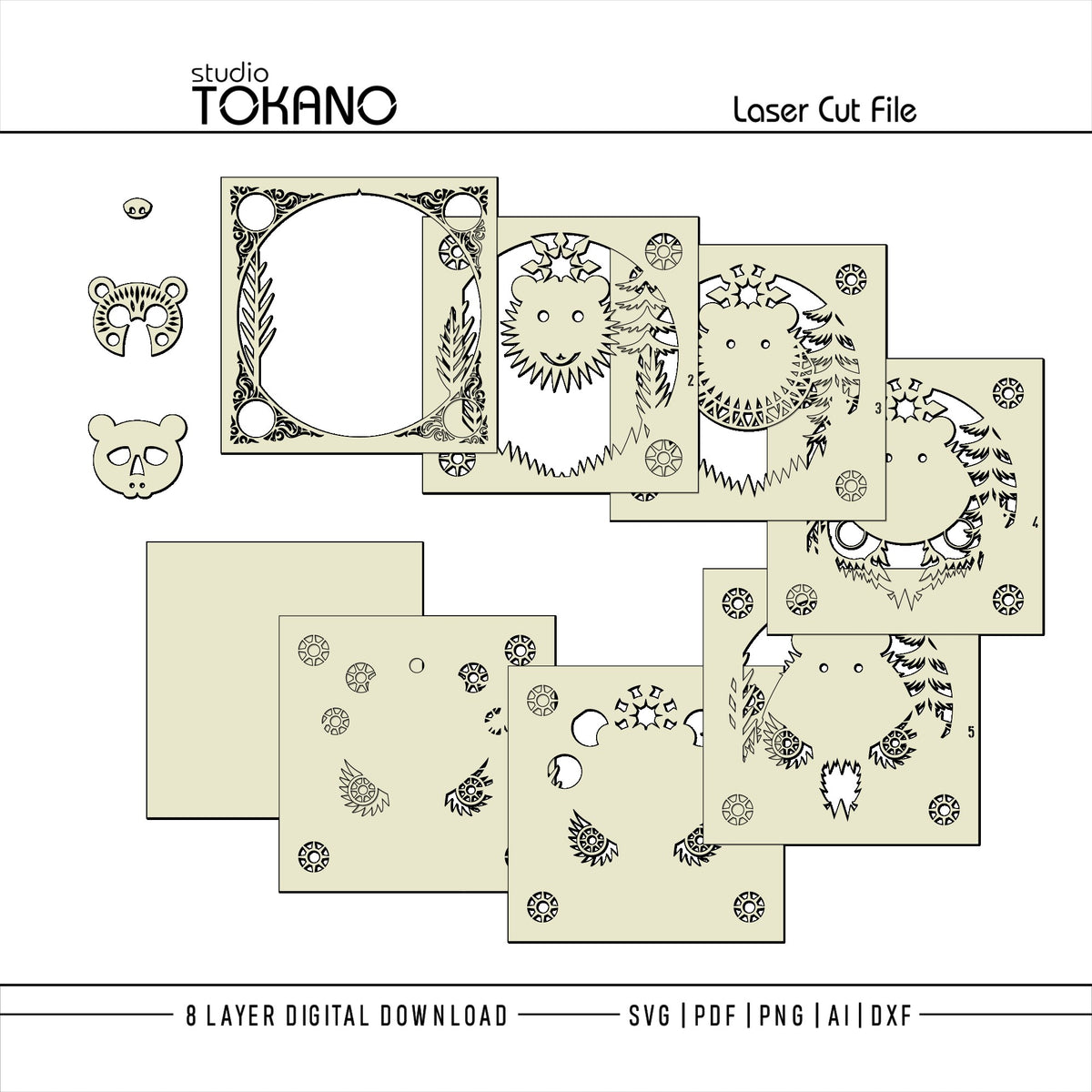
This 8-layer folk art bear laser cut file is designed for Glowforge, xTool, LightBurn, and other laser cutting machines. The decorative woodland bear is surrounded by stylized evergreen trees, geometric folk-art details, and winter-inspired shapes, creating layered wooden wall art with striking depth.
The bear's nose and first two facial layers are separate pieces that are glued on afterwards. This keeps the facial details clean while adding even more dimension to the finished artwork.
Use natural wood tones, or paint and stain the layers to create a colour combination that feels like yours. This design works beautifully as woodland wall art, winter decor, cabin-inspired artwork, or a statement piece for animal and nature lovers.
✦ WHAT'S INCLUDED
- SVG, PDF, PNG, DXF, AI, and EPS files — all layers aligned
- Stacked numbered SVG
- Color guide
- Files delivered together in a ZIP folder. Unzip the folder before using the files.
✦ DESIGN DETAILS
- 8 carefully planned layers
- Nose and first two facial layers are separate glue-on pieces
- Woodland bear with stylized evergreen trees, geometric folk-art details, and winter-inspired shapes
- Suitable for plywood, MDF, acrylic, and other compatible sheet materials
- Cut layers in different wood tones, or paint and stain them to make your own palette
- Colours shown in the listing images are presentation examples only
✦ RECOMMENDED CUTTING SIZE
The recommended minimum cutting size in plywood is 400 × 400 mm (approximately 15.75 × 15.75 inches). Scaling up is fine, but beware of the little details when scaling down.
✦ ASSEMBLY
Cut each layer from your chosen material, stack the layers in order, and glue them together. The separate facial pieces are simply positioned and glued onto the front layers after cutting.
✦ A TIP FOR STAINING WOOD
Rubio Monocoat is one of my favourite finishes: it is easy to use, comes in many colours, and the shades can be mixed directly on the wood. That makes it possible to create different hues within a single layer for an even more detailed finish. Wood and plywood can absorb colour differently, so test your chosen shades on a small scrap first.
✦ ALL YOU NEED
- A laser cutting machine
- Software compatible with one of the included file formats
- Your chosen material and, if desired, paint or wood stain
- Glue for assembling the finished layers
Machine settings are not included, since the right settings depend on your machine, material, and material thickness. Make a test cut before cutting the complete design.
✦ LICENSE
- Unlimited personal use
- For commercial use, sell up to 50 finished physical items made with this design. After 50 sales, purchase the digital file again for the next batch of 50.
- This commercial license is for small-scale makers and small businesses; mass production is not permitted.
- Finished products may be sold through your own webshop, at craft markets, weekend markets, comic cons, and similar venues. Finished products may not be sold on Etsy, Amazon, or other large third-party marketplaces.
- Do not resell, copy, share, gift, redistribute, or include the digital files in another digital product or bundle.
- These restrictions also apply to altered or modified versions of the files.
Copyright remains with Studio Tokano.
✦ SUPPORT
I take pride in my work and want you to enjoy the crafting process. If you run into trouble or have questions or suggestions, feel free to reach out. I’m happy to help.
✦ JOIN OUR COMMUNITY
Made something beautiful with this design? You’re welcome to share your finished project with the Studio Tokano community. I’d love to see what you create!
Share